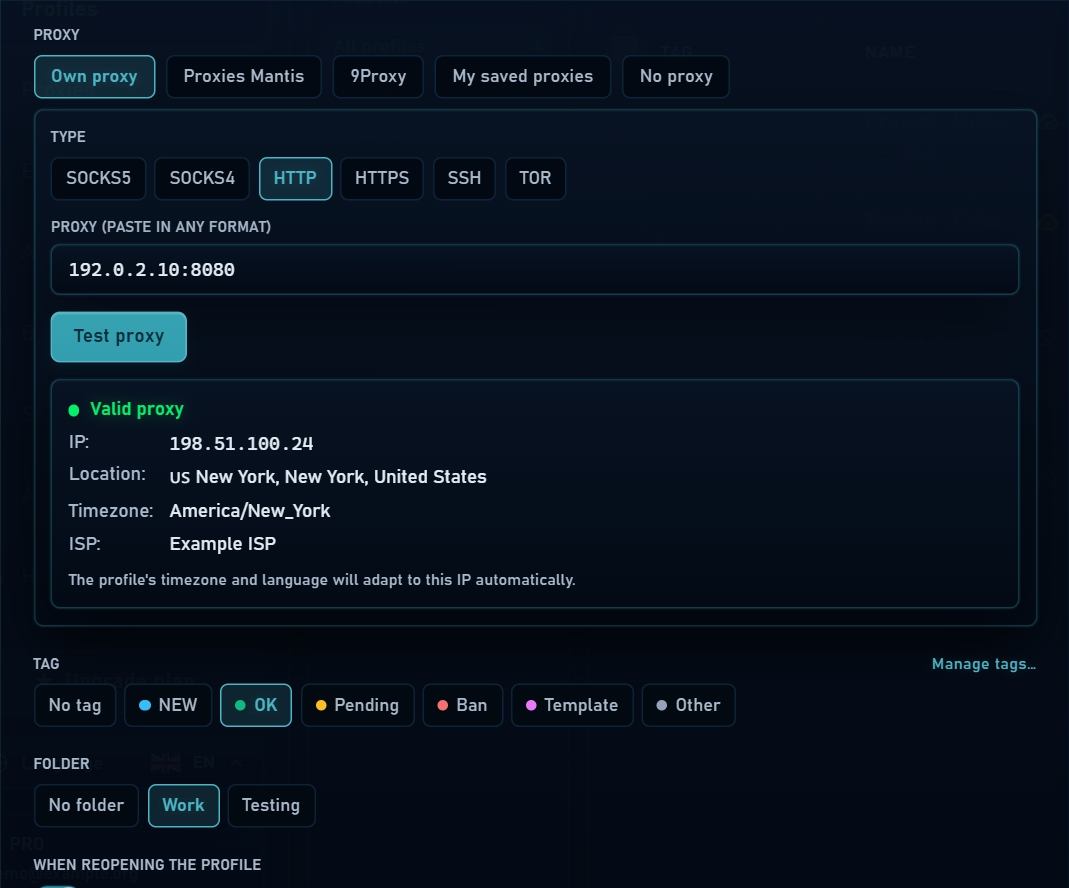



Record the connection you expect#
You need a baseline: your ordinary connection’s public IP and the exit IP assigned by the provider. A rotating proxy may change between requests; that alone does not prove a leak. A private local-network address is not necessarily your public IP.
Compare results in the exact profile you intend to use. A proxy configured in another profile or extension does not ensure this window uses that connection. If you combine a VPN, proxy and extensions, record each layer first.
A three-part check#
- Check the HTTP IP from that profile and compare it with the provider’s expected exit.
- Open the BrowserLeaks WebRTC test. Distinguish public candidates, private addresses and hidden values.
- Use the DNS test. Record which resolvers appear and check how your proxy resolves names.
- Repeat using your intended working configuration. Change only one option at a time to identify the cause.
What each result means#
| Result | Next step |
|---|---|
| HTTP shows your ordinary connection | Check profile assignment, authentication and possible exception rules. |
| WebRTC shows another public IP | Review the profile’s WebRTC mode and whether that address belongs to your network. |
| DNS shows another provider | Investigate DNS routing; the resolver’s name alone does not identify your IP. |
Review per-profile settings#
Mantis lets you assign and test proxies and choose WebRTC settings. Start with proxy configuration and testing, retain your baseline results and repeat after changes. If you use your own proxy, Mantis does not certify your provider’s infrastructure; you can also buy residential IPs in the app’s Proxies section (Proxies Mantis).