



What it is and who has it
The cloud stores the whole profile in your account (cookies, history, sessions, saved passwords and fingerprint), except the cache. That way you can use it on another PC with the same account. It is encrypted with a key of your account before it leaves your PC.
| Plan | Cloud profiles |
|---|---|
| Free and Basic | Not included |
| Starter | 5 |
| Pro | 20 |
| Max | 50 |
Upload a profile
There are two ways to upload it:
- In the profile form, turn on Save a copy in the cloud and save. When you create a profile it is already on if your plan includes the cloud and you have quota left (you can turn it off).
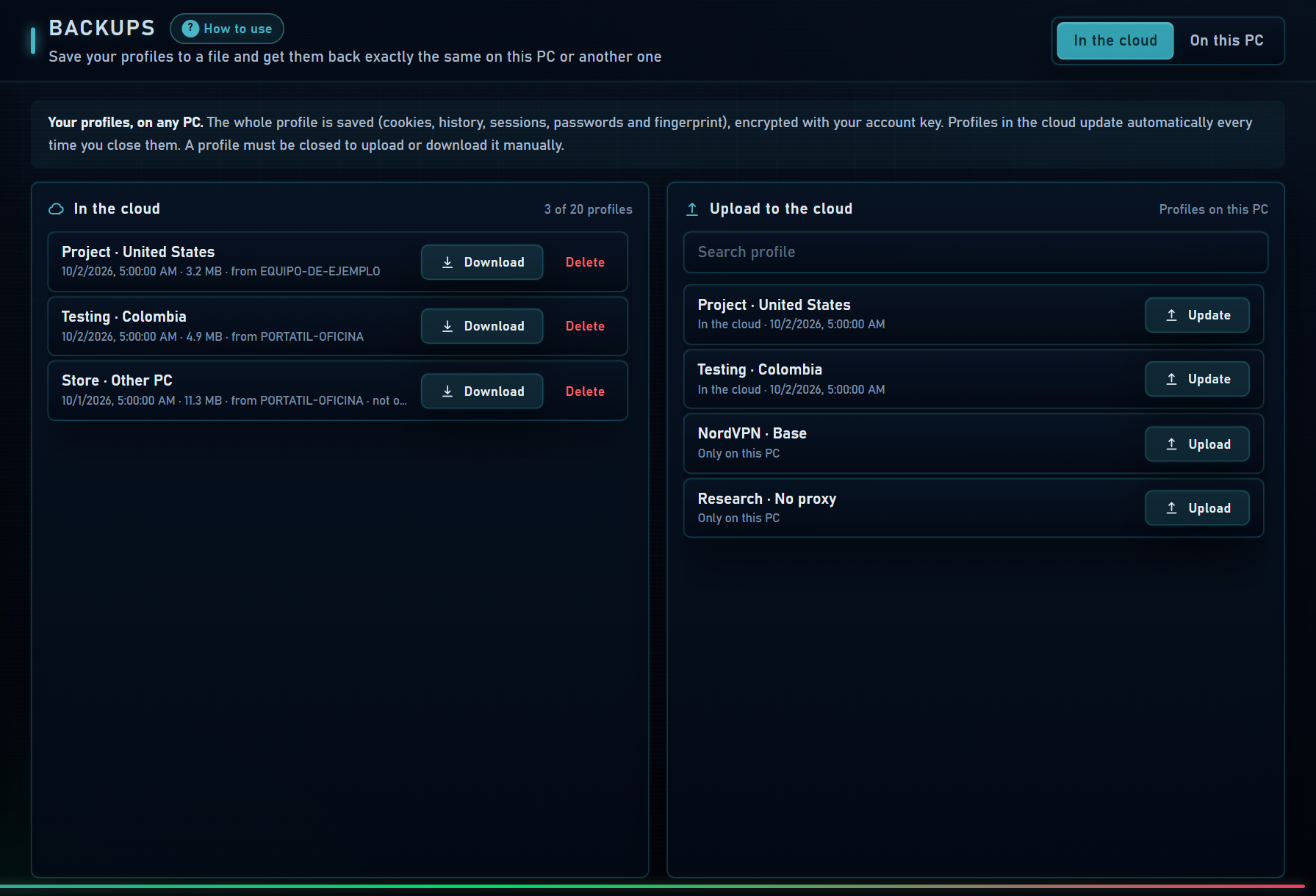
- In Backups and cloud → In the cloud, click Upload next to the profile in the right-hand list. The profile must be closed.

It updates itself when you close it
A profile in the cloud updates automatically every time you close it (with Stop or by closing its window), keeping its cookies and sessions current, and every 15 minutes while it is open. You will see a notice when it finishes. You can also click Update in Backups or Update now when editing the profile.
On your other PCs
There is no need to download anything by hand: when you open Mantis with your account on another PC (and then every minute), the cloud profiles that PC does not have show up by themselves in the table, with their cookies and sessions, and the ones it already has update themselves if another PC saved a newer version (while they are closed). It works between Windows and Mac in both directions: cookies are converted to the other computer’s system.
- The Trash is shared: if you delete a profile on one PC, it moves to the Trash on the others within seconds and is kept for 10 days; if you restore it, it comes back on all of them, and “Delete” also removes it from the cloud.
- The profile’s extensions travel with it: on your other PC they install by themselves in Extensions and stay in the same profiles. If that PC has an older version, the new one is put over it; if you delete an extension, it is removed from those profiles on your other PCs.
- If that PC has no profile quota left, the ones that fit are downloaded and you are told once.
- Download in Backups and cloud → In the cloud still brings the copy by hand: if that PC already has the profile, it is replaced by the cloud copy.
Delete removes the profile from the cloud; the profile on your PC is not touched.
If you downgrade
What you uploaded is kept and you can always download or delete it, but you cannot upload beyond your plan’s quota. If you have more cloud profiles than your plan allows, after 30 days we email you, after 83 we remind you one week is left, and after 90 the oldest ones are deleted until you are within quota. If you upgrade again before then, nothing is deleted.