

TroubleshootingWindows and Mac

The proxy works, but a website blocks me: step-by-step diagnosis

A guide by Mantis Browser: examples use our own app.

A successful connection test does not ensure access to every website. Distinguish network errors, HTTP responses, verification and account restrictions.

Updated 2 min readLeer en español

What a proxy test demonstrates#

A successful proxy check means that request reached a destination and received a response. Your working website may use another route, require authentication, reject an IP or apply account checks. Do not automatically blame fingerprinting or behavior: connectivity, exit reputation or service incidents may also explain it.

Record the exact message and whether it happens before or after sign-in. A loading public page with a failing account dashboard suggests a different issue from timeouts across every website.

Isolate one variable at a time#

  1. Open a diagnostic page from the affected profile and confirm the exit IP.
  2. Check username, password, port and protocol. Determine whether the provider requires authorization of your source IP.
  3. Compare with another permitted destination. If everything fails, start with connectivity; if only one service fails, inspect its message.
  4. Review account notices and the service’s public status. Avoid repeated attempts while investigating.
  5. If testing another connection is necessary, use a test account and document the change rather than repeatedly altering a production profile.

Classify the error before acting#

SignalHypothesis to investigate
Timeout or connection refusedAvailability, port, protocol and proxy authentication.
HTTP 403Access denied; the code alone does not identify the reason.
HTTP 429Request limits: respect the waiting period indicated by the service.
Account verificationOfficial verification process; not necessarily a proxy failure.

What to record in Mantis#

Use proxy testing and record the connection type and error in the project note, without the password. Review language and time zone if you changed them, but do not expect those settings to guarantee access. Website controls still apply.
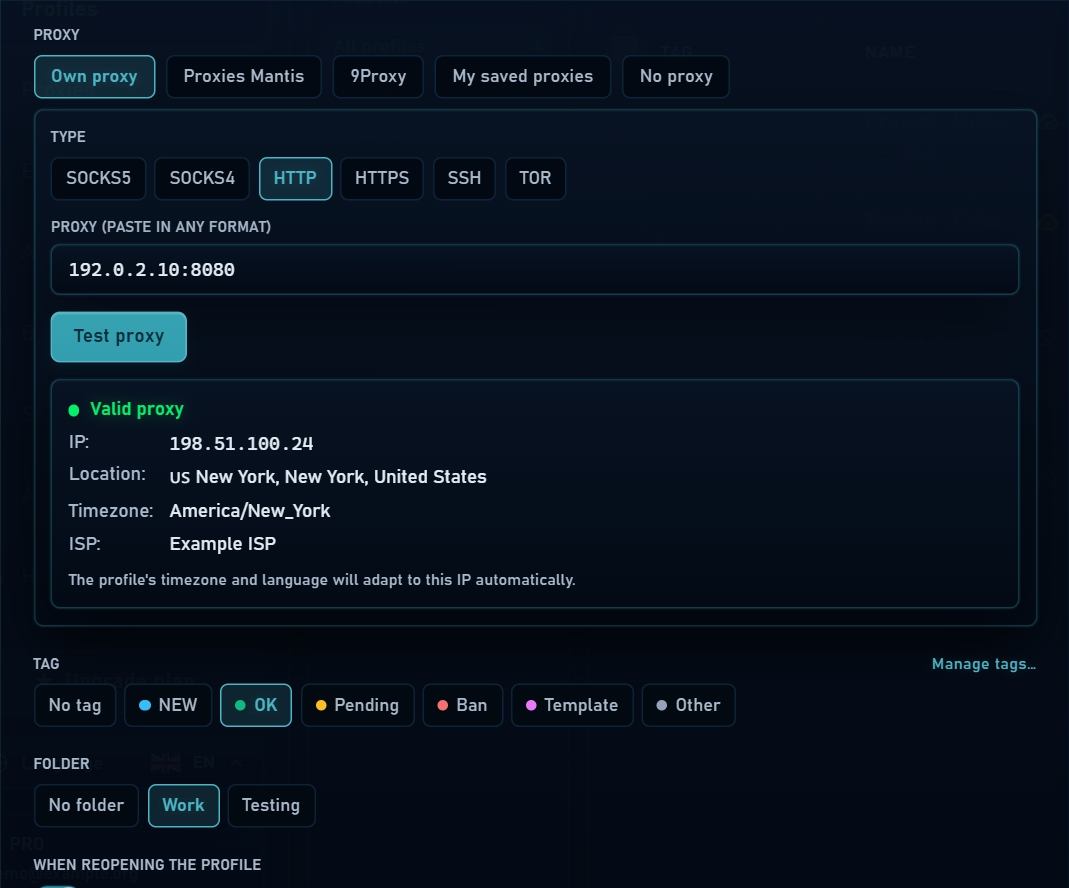
Protocol and endpoint of an example proxy.Protocol and endpoint of an example proxy.
Real interface · Example data Keep the error before changing other variables. A working connection does not guarantee access to every site.

Put the guide into practice with Mantis

If you need to organize projects on Windows or Mac, try Mantis with 5 profiles on 1 computer, with no card or expiry. Advanced features such as API/CDP, bulk creation and backups depend on your plan; check the limits before buying.

If you would rather stick with what you already use, keep the organization part: it applies just the same.

Continue in the manual

Own proxy and My saved proxiesTroubleshootingProfile fingerprint and hardware

Cookies and storage

Necessary: used when you choose a language, sign in or buy. Disabling them affects those features; you can clear them through your browser.

Optional first-party statistics: daily totals by page and campaign, retained for 180 days. No stored IP addresses or visitor identifiers (if you arrive from an ad, a hashed code of your connection for 7 days to attribute the signup in the app). These first-party statistics are not sent to Google. The campaign is remembered only in this tab if you accept. You can reject or withdraw your choice here; website features remain available.

Google receives technical data (IP address, browser and ad click), verified signups and confirmed purchases (order reference, amount and currency). We send no emails, passwords or browser profile data. Ad personalization requires the additional option below. We use no enhanced conversions. Its tag loads only if you accept this option.

Allows ads on Google, YouTube, Facebook and Instagram based on your website visits and interactions. Includes the Google measurement above and the Meta pixel for visits, downloads, verified signups and confirmed purchases. Meta receives IP address, browser, advertising identifiers and website events; never emails, passwords or browser profile data. You can withdraw permission here.

Only with this option, TikTok receives visits, downloads, verified signups and confirmed purchases through its pixel and Events API. Includes IP address, browser, ad identifiers, order reference, amount and currency; never emails, passwords or browser profile data. This permission is independent of Google and Meta and can be withdrawn here.

Read the full policy